

Download TuxMath – Free Educational Arcade Game for Kids
Overview
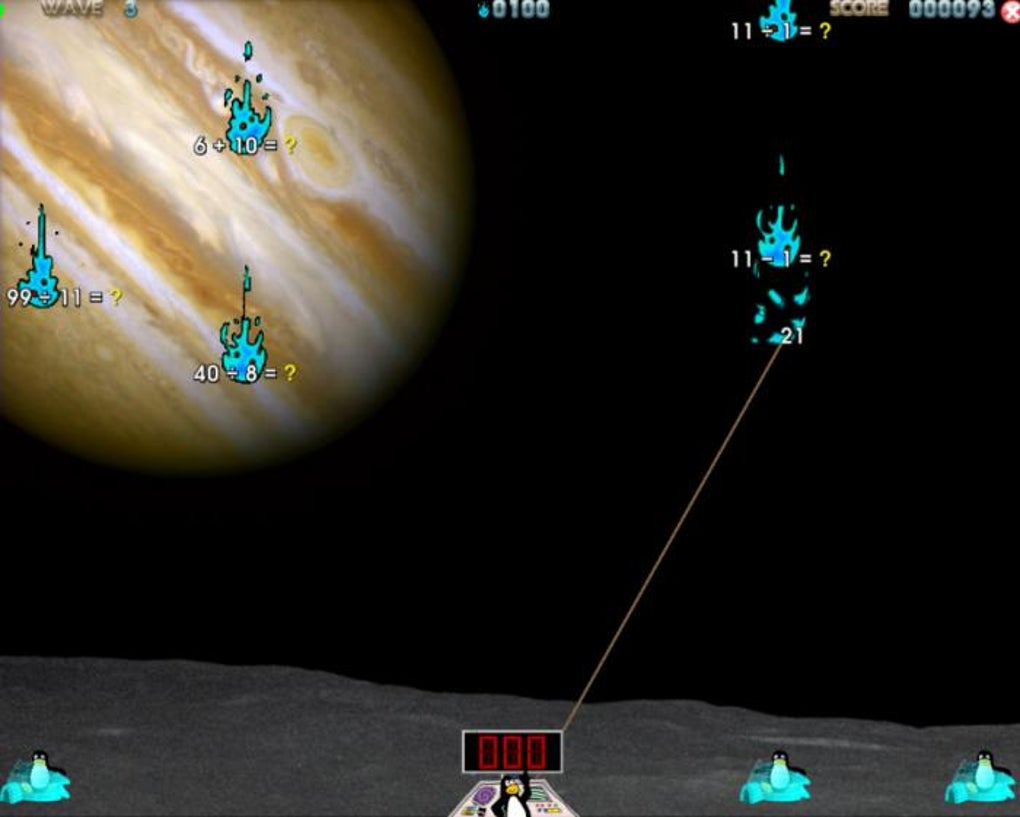
TuxMath turns the classic arcade shooter into a lively mathematics classroom. In this free, open‑source game, the beloved Linux mascot Tux must defend his igloo village from a hail of space rocks that represent arithmetic problems. Each asteroid carries a division, multiplication, subtraction, or addition question, and the player fires the correct answer to destroy it.
The game scales from simple single‑digit sums for elementary learners to complex fraction and negative‑number divisions for older students, making it an ideal tool for children aged 7 to 13. By blending fast‑paced gameplay with mental math, TuxMath keeps kids engaged while reinforcing core curriculum concepts. The second, more advanced mode introduces fractions that must be reduced by finding common denominators, turning a traditionally dry topic into a thrilling challenge.
Because it is open source, schools can customize levels, add new missions, or even integrate it with classroom management software. The result is a secure, ad‑free experience that encourages repeated practice without the pressure of grades. Parents and teachers love the way TuxMath bridges the gap between learning and fun, proving that mathematics can be as exciting as any arcade title.
Key Features
- Completely free and open‑source – no hidden fees or subscriptions.
- Multiple difficulty tiers from basic addition to advanced fraction reduction.
- Two gameplay modes: Classic arithmetic and Fraction‑Denominator challenges.
- Instant feedback with colorful explosions for correct answers.
- Progress tracking for teachers and parents via simple log files.
- Customizable missions and level editor for classroom integration.
- Cross‑platform support for Windows, macOS, Linux, and even Android via community ports.
- Offline‑first design – no internet connection required after download.
- Kid‑friendly UI with large icons and narrated instructions.
- Regular community‑driven updates and security patches.
Installation & Usage Instructions
Getting started with TuxMath is straightforward, whether you’re on a Windows PC, a Mac, or a Linux machine. First, visit the official project page and click the “Download TuxMath” button – the file is a secure .exe for Windows, a .dmg for macOS, and a .tar.gz for Linux. After the download completes, run the installer; the wizard guides you through standard steps such as choosing an install folder and creating a desktop shortcut. On macOS, you may need to allow the app in System Preferences → Security & Privacy because it’s not from the App Store. Linux users can install via their package manager (e.g., sudo apt-get install tuxmath) or compile from source for maximum control.
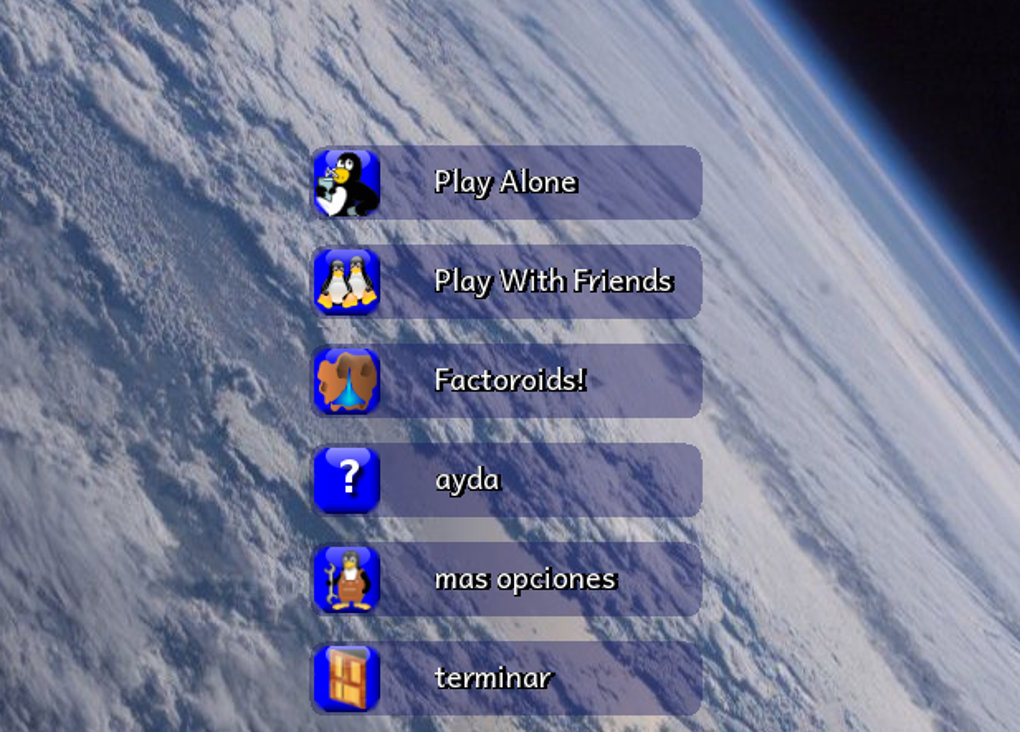
Once installed, launch TuxMath from the Start menu, Applications folder, or command line. The main screen presents three options: “Arcade Mode,” “Fraction Mode,” and “Settings.” In Arcade Mode, select the grade level you wish to practice; the game will generate corresponding problems automatically. Use the keyboard or on‑screen numeric keypad to type your answer; press Enter to fire.
A correct answer detonates the asteroid, awarding points and a cheerful sound effect. Incorrect answers cause the rock to inch closer to Tux’s igloo, adding a mild sense of urgency. The Settings menu lets you adjust sound volume, enable narration, and toggle “Practice Mode,” which removes the time limit for younger learners.
After each session, a summary screen displays accuracy, average response time, and areas that need improvement – perfect for teachers to assign targeted homework.
For Android enthusiasts, community ports are available on the Google Play Store under the name “TuxMath – Math Shooter.” Install it like any other app, grant the necessary permissions, and you’ll have the same engaging math battles on a tablet or smartphone. The Android version syncs progress locally, allowing offline play on the go.
Compatibility, Pros & Cons, and Frequently Asked Questions
TuxMath runs natively on Windows 7 and later, macOS 10.12+, and major Linux distributions (Ubuntu, Fedora, Debian, Arch). The Android port supports Android 5.0 and above. Because the core code is written in C++ with SDL2, the performance remains smooth on low‑end hardware, making it an excellent choice for school computer labs with older machines.
Pros
- Free and open source – no cost barriers for schools or families.
- Engaging arcade style keeps children motivated to practice math.
- Scalable difficulty suitable for a wide age range.
- Offline functionality ensures privacy and no distractions from ads.
- Cross‑platform support simplifies deployment across different devices.
Cons
- Graphics are retro and may feel dated compared to commercial games.
- No built‑in multiplayer or competitive leaderboards.
- Limited reporting features – schools need to export logs manually.
- Fraction mode can be challenging without prior instruction.
- Official Android version is community‑maintained, so updates may be slower.
FAQ
Is TuxMath safe for children?
Yes. TuxMath is open source, contains no ads or in‑app purchases, and runs entirely offline after installation, ensuring a secure environment for kids.
Can I customize the math problems?
Absolutely. Advanced users can edit the configuration files or use the built‑in level editor to create custom missions tailored to specific curricula.
Does TuxMath work on low‑spec computers?
Yes. The game’s lightweight SDL2 engine runs smoothly on computers with as little as 512 MB RAM and integrated graphics.
Is there a way to track my child’s progress?
After each session, TuxMath generates a simple text log showing accuracy, speed, and problem types. Parents or teachers can review these logs manually or import them into spreadsheet tools.
Can TuxMath be used in a classroom setting?
Yes. Its multi‑platform nature allows a teacher to set up a lab of Windows, macOS, or Linux machines, and the offline mode ensures the network stays free for other educational tools.
Conclusion & Call to Action
TuxMath proves that learning mathematics doesn’t have to be a quiet, solitary activity. By wrapping core arithmetic and fraction concepts inside a fast‑paced arcade shooter, it transforms practice into play, encouraging students to improve their speed and accuracy without feeling like they’re doing “homework.” The fact that it’s free, open source, and works across Windows, macOS, Linux, and Android makes it an exceptionally accessible tool for families, teachers, and after‑school programs. While the graphics are nostalgic and reporting features are basic, the educational value far outweighs these minor drawbacks. If you’re looking for a secure, ad‑free math app that motivates kids to solve problems under pressure, TuxMath is a top‑tier choice.
Ready to give your child the power of math? Free download is just a click away. Install TuxMath today, watch the asteroids crumble under the weight of correct answers, and let the learning adventure begin!
TuxMath delivers a compelling blend of fun and education. The game's open‑source nature, cross‑platform support, and zero cost make it an excellent addition to any classroom toolkit. While the visuals are simple, the engaging gameplay keeps students returning for more practice. A few enhancements, such as built‑in leaderboards and richer analytics, would push it to perfection, but even as it stands, TuxMath is a standout educational tool.







